

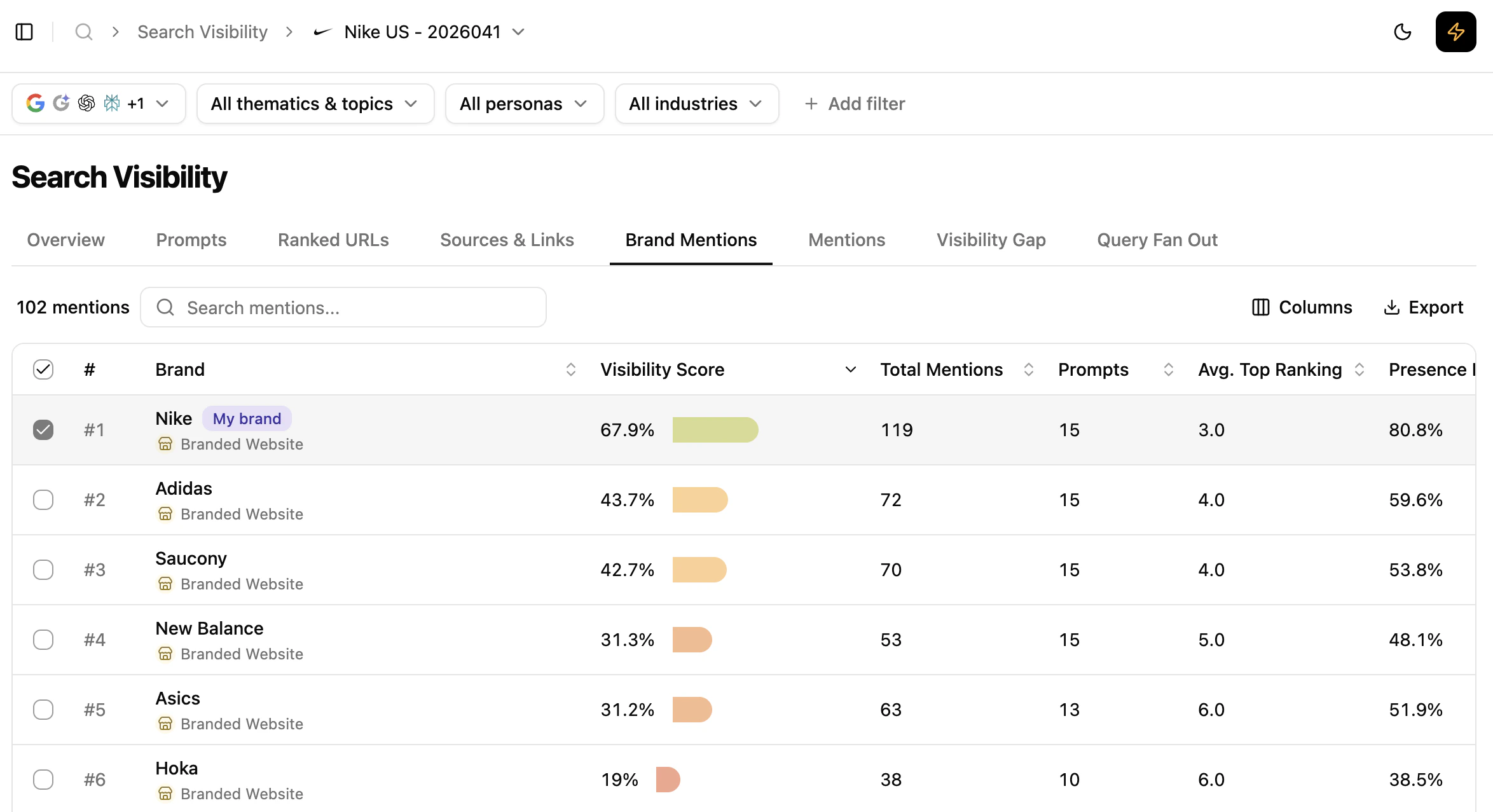
Brand Mentions view
What this view helps you analyse
Identify top brand competitors
The table lists the most visible brands for the prompts in your project, sorted by visibility score by default.Evaluate your brand’s performance against competitors
Key indicators in the table:- Brand — list of detected brands
- Visibility score — gauge and percentage based on top-position score and presence over search results
- Total Mentions — number of brand mentions ranked across the prompts
- Share of Mentions — percentage of mentions attributed to the brand
- Prompts — number of prompts triggering an appearance
- Average Top Position — average top rank of the brand
- Presence rate — percentage of prompt results where the brand is positioned
Select competitors and deep-dive into Visibility Gap
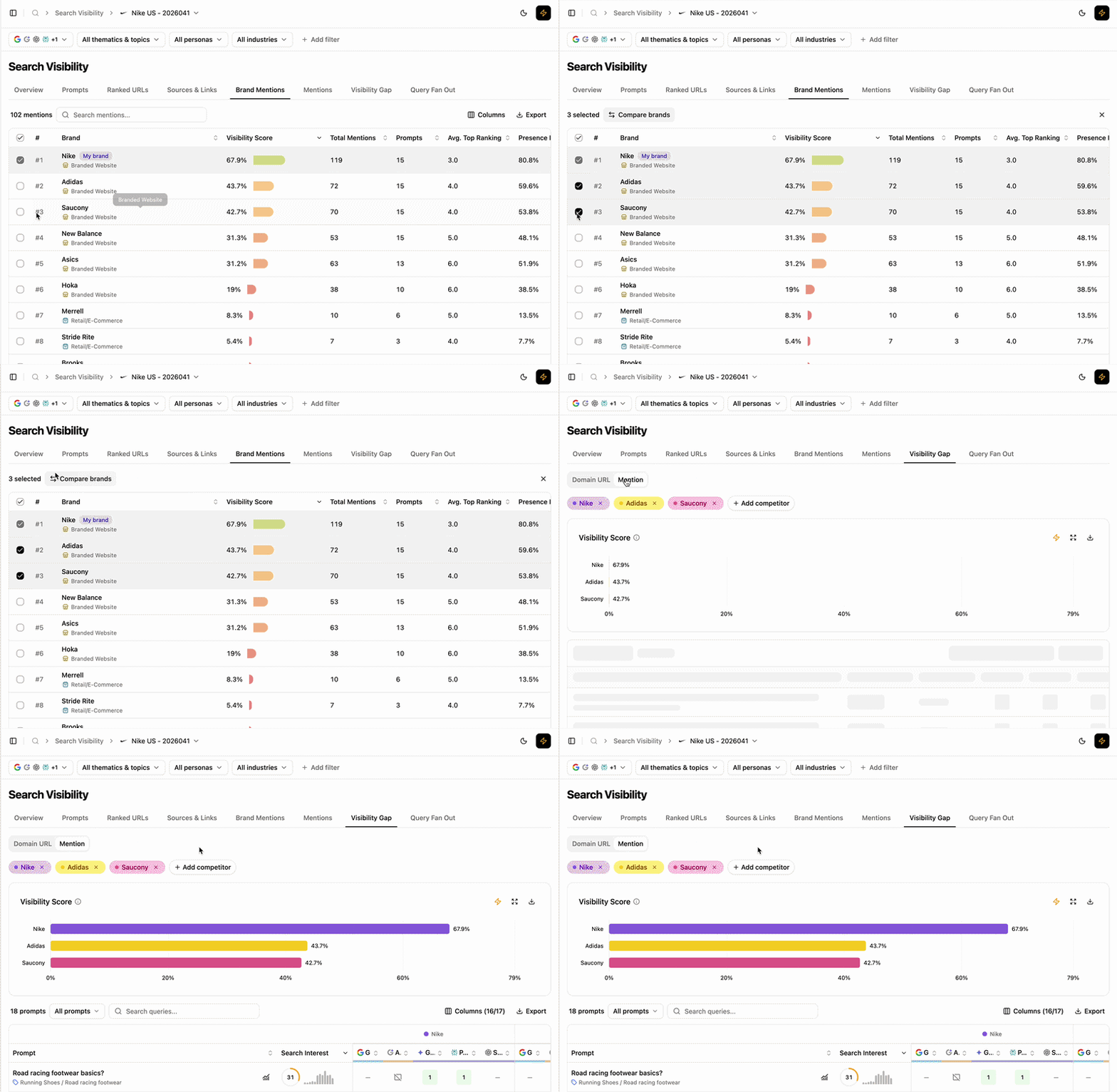
Compare brands flow
Key benefits
- Compare brand visibility against competitors across traditional and generative engines.
- Surface visibility score, presence rate and average top position at a glance.
- Spot top-performing brands that dominate the space.
- Jump from a selection straight into competitor-level prompt analysis.
Extra features
- Filters — refine the data displayed.
- Add/Hide columns — adapt the table to your workflow.
- Export — extract filtered tables to CSV or Excel.
- Search — find a brand via the search bar.
- Sort — order by any column.
What’s next
Visibility Gap
Compare with up to four competitors at prompt level.
Sentiment Score
See how mentions are framed in LLM results.