

What this view helps you analyse
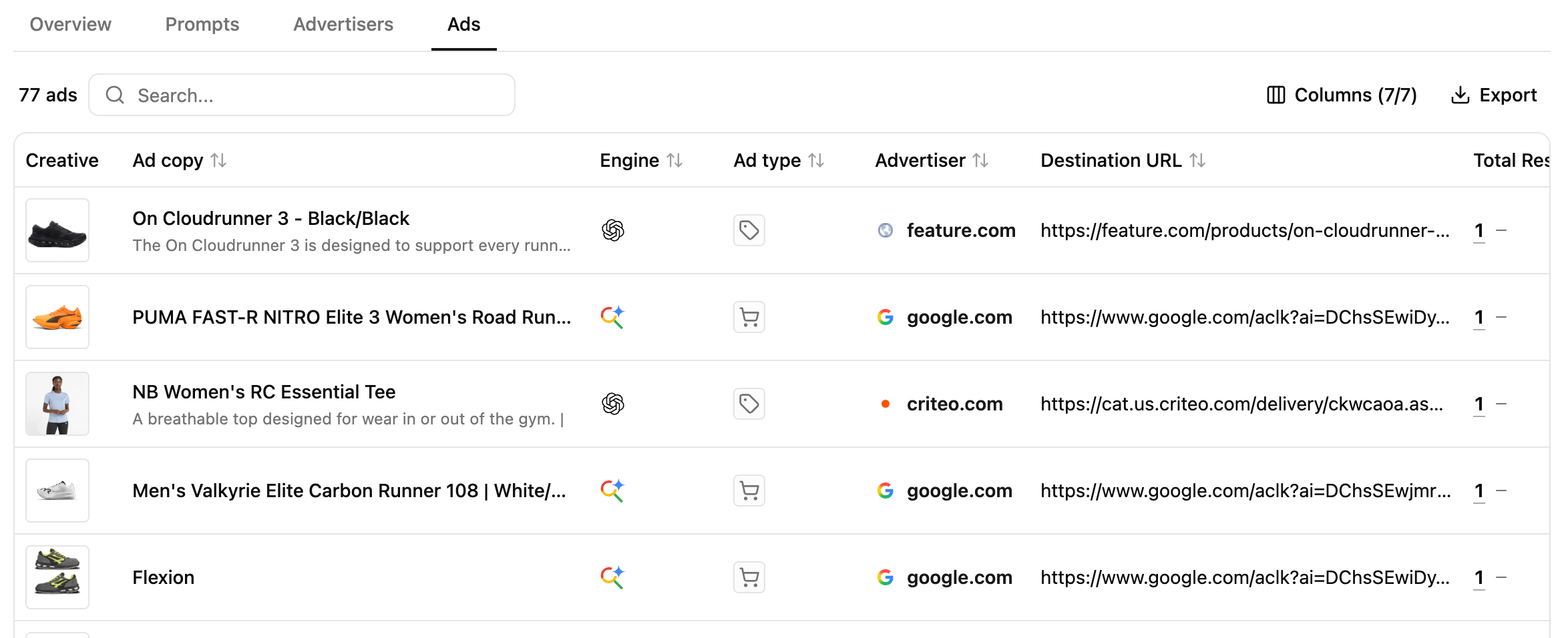
The Ads view helps you explore the individual sponsored placements detected across your tracked prompts. For each ad, you can analyse:- the creative and ad copy surfaced to users;
- the advertiser domain associated with the placement;
- the AI engine where it appeared;
- the ad type, such as product or text;
- the destination URL users are directed to;
- Total Results, showing across how many results the ad was detected.
Explore what advertisers are promoting
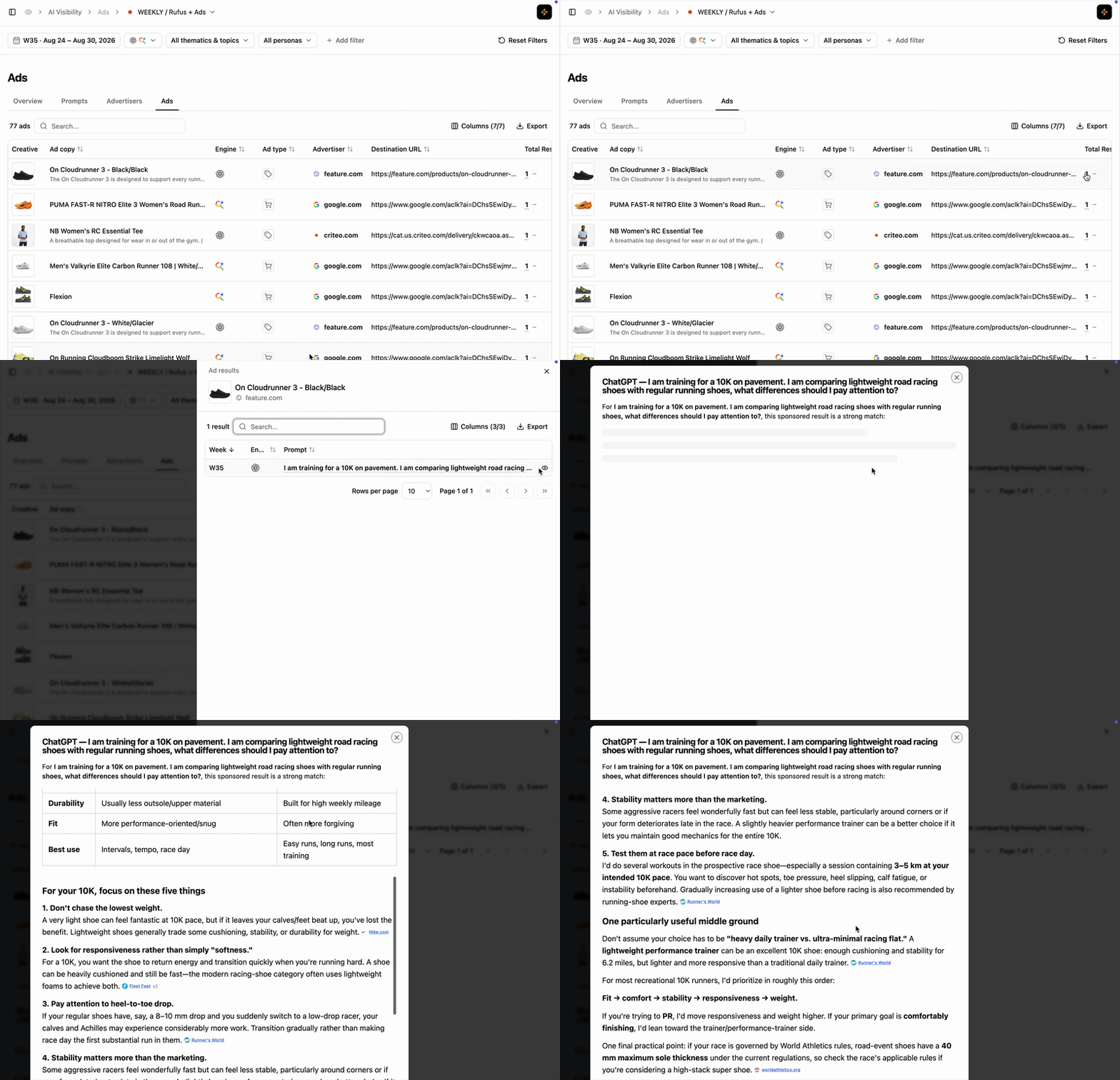
Connect an ad back to its context
Reading cues
These are signals to read, not rules.
The same ad appears across many results
The same ad appears across many results
The advertiser is repeatedly using the same creative or message across different advertising occurrences. Explore the underlying prompts to understand how broadly that message is being deployed.
Similar user needs attract different ads
Similar user needs attract different ads
Advertisers may approach the same user intent with different products, offers or messages. Compare creatives and destinations to understand how competitors position themselves around that need.
Different ad types appear across engines
Different ad types appear across engines
The way advertising is surfaced can vary between AI platforms. Compare product and text ads to understand how the paid experience differs by engine.
Ads lead to different types of destinations
Ads lead to different types of destinations
Destination URLs can reveal different strategies, from directing users toward specific products to broader shopping or discovery experiences. Use them to understand what advertisers want users to do after gaining their attention.
How to use this view effectively
Extra features
- Filters — refine the data displayed.
- Add/Hide columns — adapt the table to your workflow.
- Export — extract filtered tables to CSV or Excel.
- Search — find a brand or product via the search bar.
- Sort — order by any column.
What’s next
Ad Presence Rate
Measure how broadly an advertiser appears across ad-supported prompts.
Share of Ad Voice
Understand how total paid visibility is distributed between advertisers.