

What this view helps you analyse
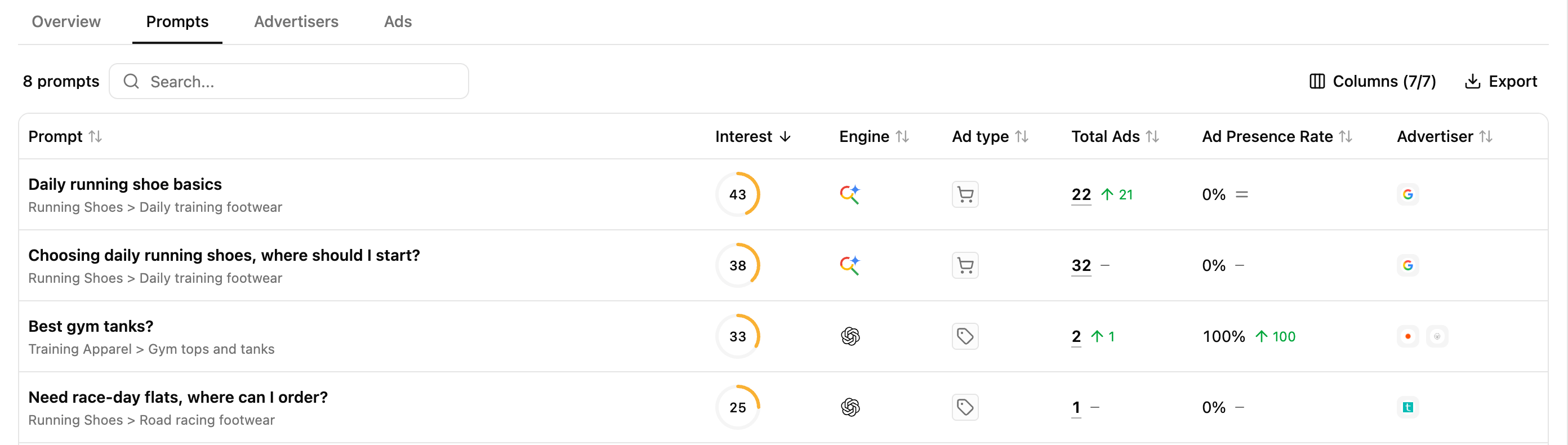
The Prompts view helps you move from the overall advertising landscape to the individual queries behind it. For each prompt generating ads, you can analyse:- its Thematic & Topic and Interest;
- the AI engine where advertising appeared;
- the type of ad surfaced;
- the total number of ads detected;
- your Ad Presence Rate;
- the advertisers competing for that prompt.
Identify the prompts attracting advertising
Understand your advertiser presence within those prompts
Ad Presence Rate shows across how many ad-supported prompts your advertiser domain is present. Use it alongside Total Ads and the advertisers surfaced to identify where your domain participates in paid visibility and where advertising is captured by other advertisers. This helps map the user needs where you already have paid presence against those where other advertisers are active.Investigate what happens behind a prompt
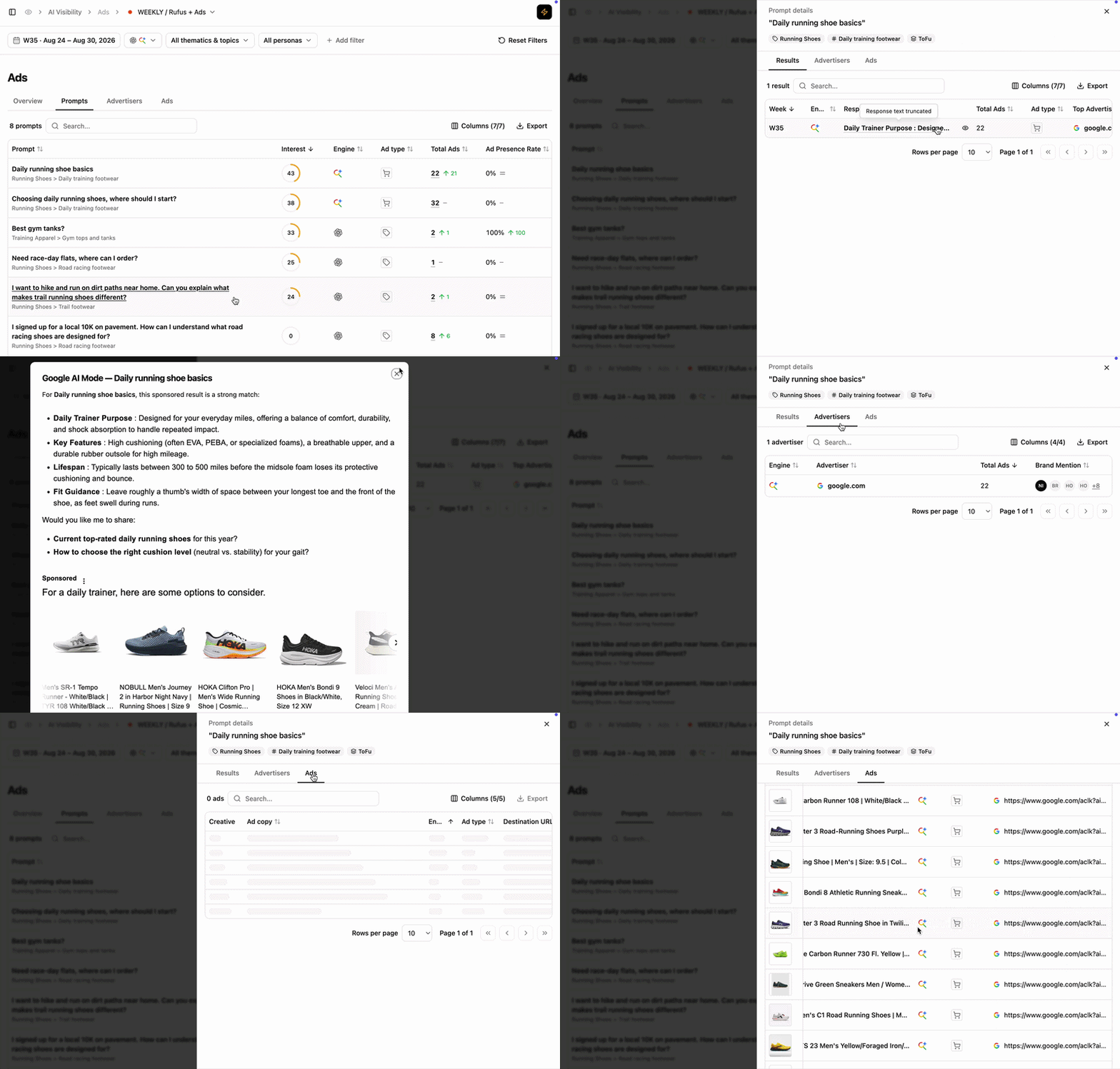
- Results shows the underlying AI responses, the ads they contain and whether paid visibility coexists with organic presence.
- Advertisers shows which advertiser domains appear, how many ads they generate and which brands are promoted.
- Ads shows the individual creatives, ad copy, ad types and destination URLs surfaced to users.
Reading cues
These are signals to read, not rules.
High-interest prompt + strong advertising activity
High-interest prompt + strong advertising activity
Advertisers are active around a user need that also shows strong search interest. Explore the underlying advertisers and ads to understand who is targeting that need and what they are promoting.
High Total Ads + few advertisers
High Total Ads + few advertisers
Advertising activity is high, but the volume is concentrated among a small number of advertisers rather than reflecting broad competition.
Ads detected + 0% Ad Presence Rate
Ads detected + 0% Ad Presence Rate
Advertising exists around the prompt, but your advertiser domain is absent. Explore the advertisers present to understand who is capturing paid visibility around that user need.
Paid presence without organic presence
Paid presence without organic presence
Your advertiser domain is detected through paid placement while your brand or domain is absent organically. This can highlight user needs where your visibility currently relies on advertising rather than organic presence.
How to use this view effectively
Extra features
- Filters — refine the data displayed.
- Add/Hide columns — adapt the table to your workflow.
- Export — extract filtered tables to CSV or Excel.
- Search — find a brand or product via the search bar.
- Sort — order by any column.
What’s next
Advertisers
Compare who captures paid visibility and which brands they promote.
Ads
Analyse the creatives, messaging and destinations surfaced to users.