

- Brand Analysis — personas narrow the perception and awareness prompts sent to LLMs.
- Search (AI Visibility) — personas narrow search queries and carry funnel-stage/intent metadata alongside them.
- Asset Evaluation — personas provide the audience lens creative assets are scored against.
The persona model
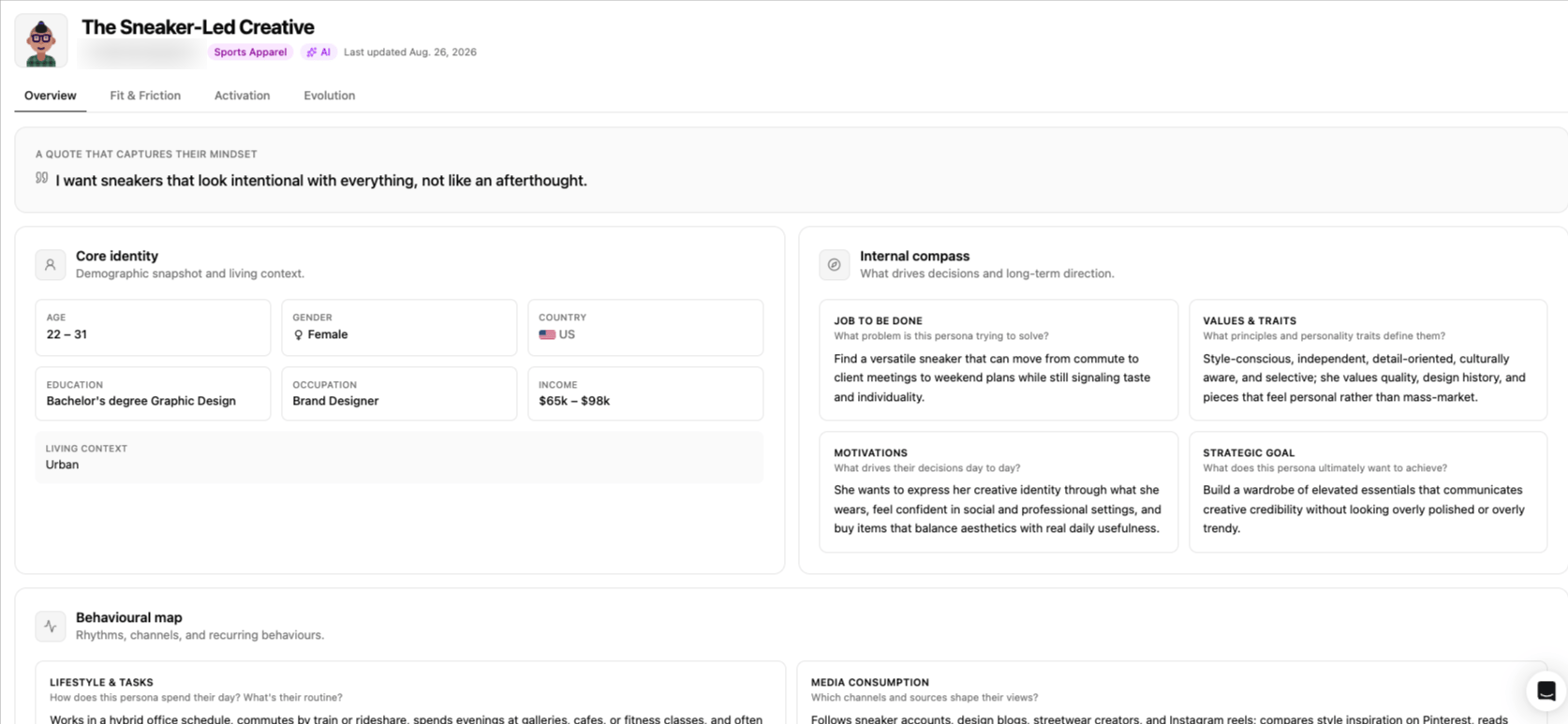
Every persona is structured around the same set of fields, grouped into a few blocks:
Not every field needs to be populated for every persona.
Even if we encourage well-defined persona, a persona created quickly from a short brief can have a thinner profile than one built from a full research pass, and that’s expected.
Activation
Beyond scoping analyses, every persona automatically maps to the Google product categories that best reflect its profile — the same interest segments used for ad targeting (for example, Beauty Products & Services/Makeup & Cosmetics for a beauty-focused persona). Each matched category comes with the ad surfaces it can be activated on: Display, Gmail, Discover, Search, Shopping, and Video.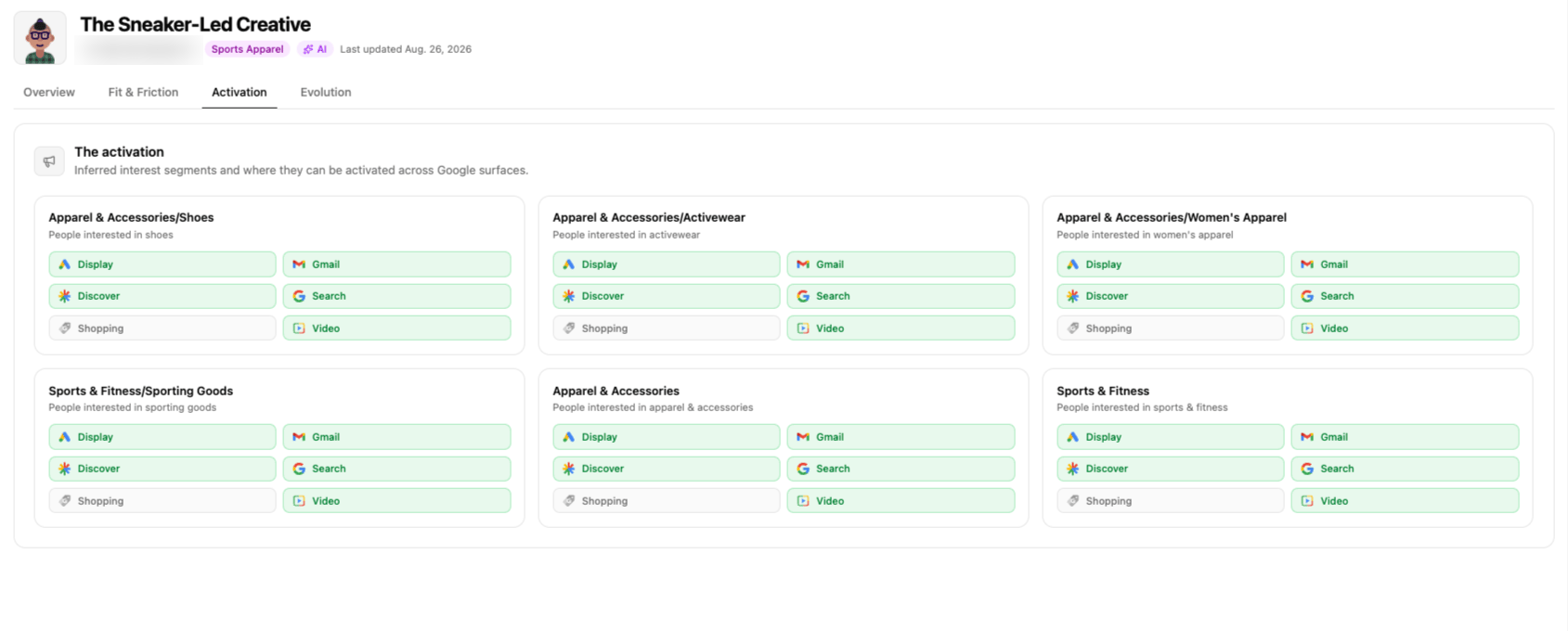
Using personas in a creation flow
Every Brand analysis, Search project, and Asset Evaluation includes a dedicated Personas step. Rather than listing your whole Library, that step filters it down to a matching set for the analysis you’re configuring — and lets you create a new persona on the spot if nothing fits. The matching scope differs by module:- Brand analysis
- Search project
- Asset Evaluation
Personas are matched on Brand + Country + Language. Category is intentionally excluded from the match, so a brand’s personas surface regardless of which category the analysis targets.
Best practices
1
Start with personas
Right after setting up your workspace, create or import your qualified personas. It’s easier to do this once, up front, than to build personas as you go while creating projects and analyses — even though that path remains possible.
2
Anchor on a need and/or pain point
Demographics like age, country, or language help scope a persona, but what makes it useful is the “why” behind the audience. A persona without a clear need or pain point behind it gives weaker signal.
3
Keep it narrow
A persona that tries to represent everyone ends up biasing nothing. One clear need per persona tends to give sharper signal than a broad, catch-all profile.
4
Quality over quantity
One well-qualified persona outperforms ten shallow ones — better signal, and more reliable across analyses.
5
Be cautious with AI generation
AI-generated personas work well as a starting point, but they will rarely match a persona your brand has already researched and refined over time. If you do generate a persona with AI, take the time to review and validate the full profile before using it.
What’s next
More options
Import, edit, duplicate, archive, and delete personas.
Chat with a Persona
Have a live, in-character conversation with any persona in your Library.
Migration details
What happened to personas that existed before the new data model.
Analyses & Collects
How personas fit into a Brand analysis or Search project’s scope.