> ## Documentation Index
> Fetch the complete documentation index at: https://docs.shareofmodel.ai/llms.txt
> Use this file to discover all available pages before exploring further.
# Visibility Gap
> Compare your domain and brand visibility against up to four competitors at prompt level.
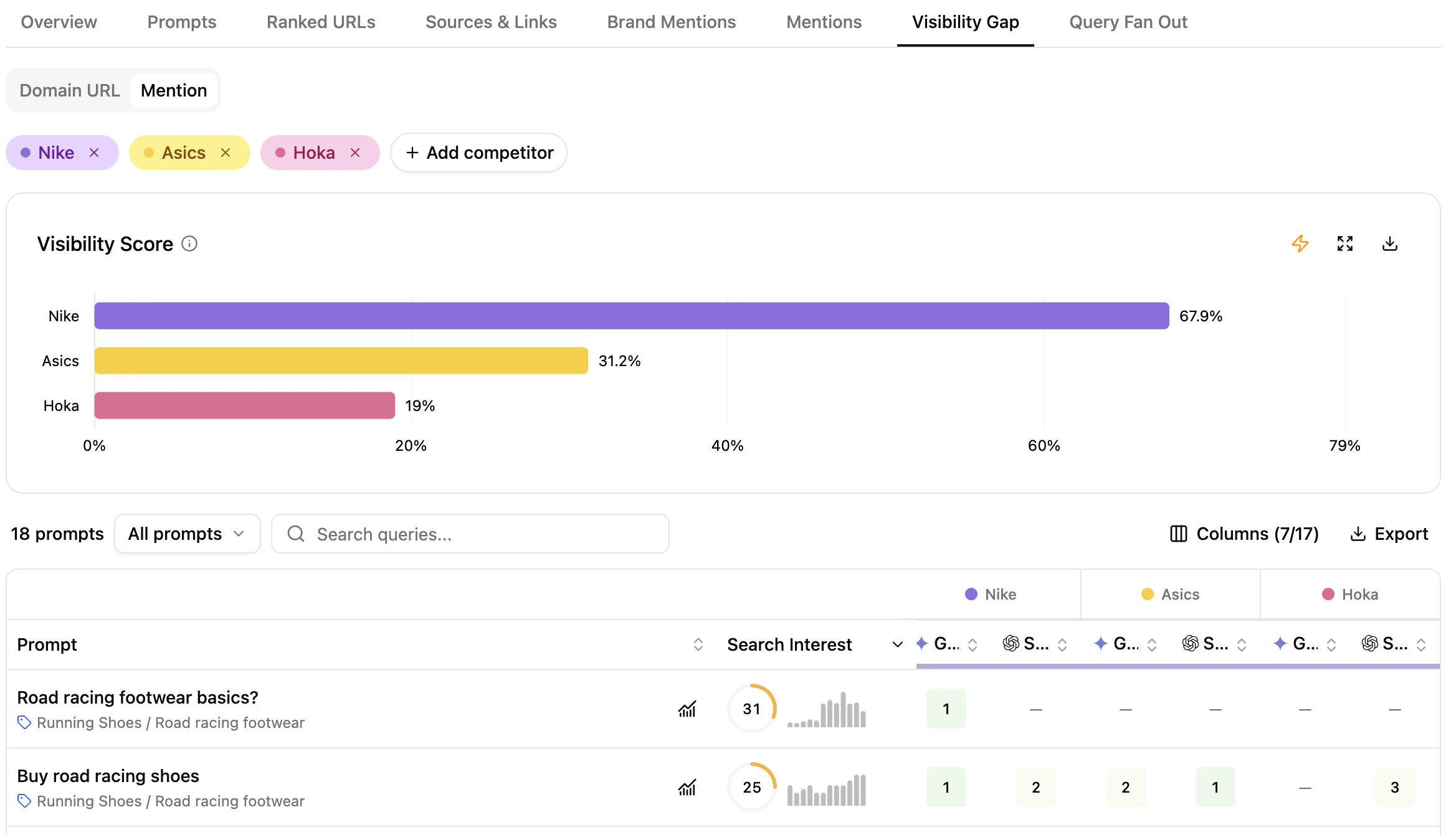
The **Visibility Gap** view lays out your domain and brand presence and positioning for each tracked prompt across engines, side by side with competitors. Click a prompt to drill into your performance vs. each competitor.
 ## What this view helps you analyse
You get prompt-level comparison of your domain and brand against competitors across both traditional and generative engines.
### Domain & Brand performance comparison
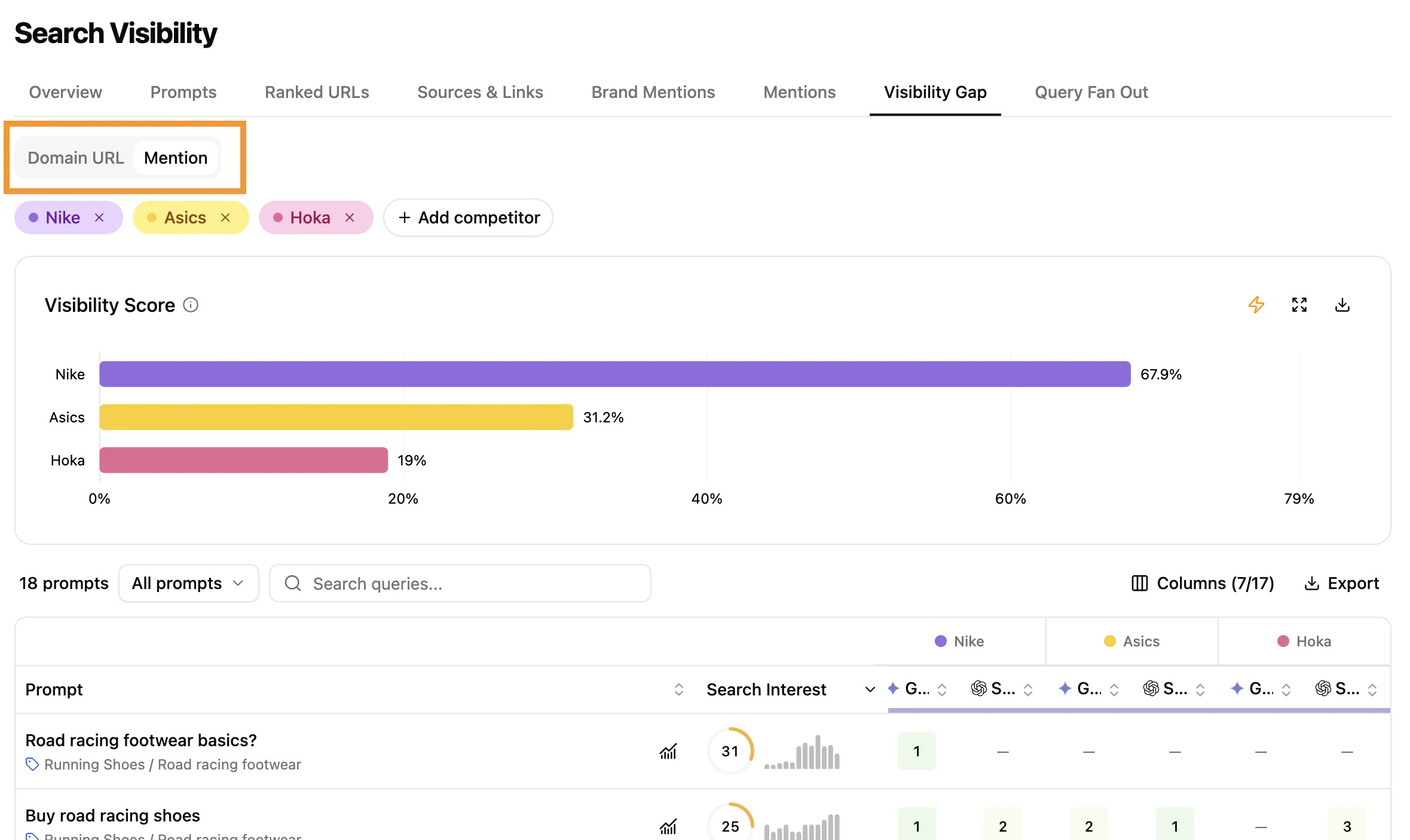
The module exposes two complementary modes:
* **Domain URL view** — competitor domain positions across engines (similar to [Overview](/platform/search/overview-what-how-purpose)).
* **Brand Mention view** — brand presence across engines, for awareness analysis.
Both modes support data download for time-period comparisons.
## What this view helps you analyse
You get prompt-level comparison of your domain and brand against competitors across both traditional and generative engines.
### Domain & Brand performance comparison
The module exposes two complementary modes:
* **Domain URL view** — competitor domain positions across engines (similar to [Overview](/platform/search/overview-what-how-purpose)).
* **Brand Mention view** — brand presence across engines, for awareness analysis.
Both modes support data download for time-period comparisons.
 ### Compare visibility scores against competitors
The chart spotlights industry leaders and visibility gaps where your domain or brand can improve.
### Compare visibility scores against competitors
The chart spotlights industry leaders and visibility gaps where your domain or brand can improve.
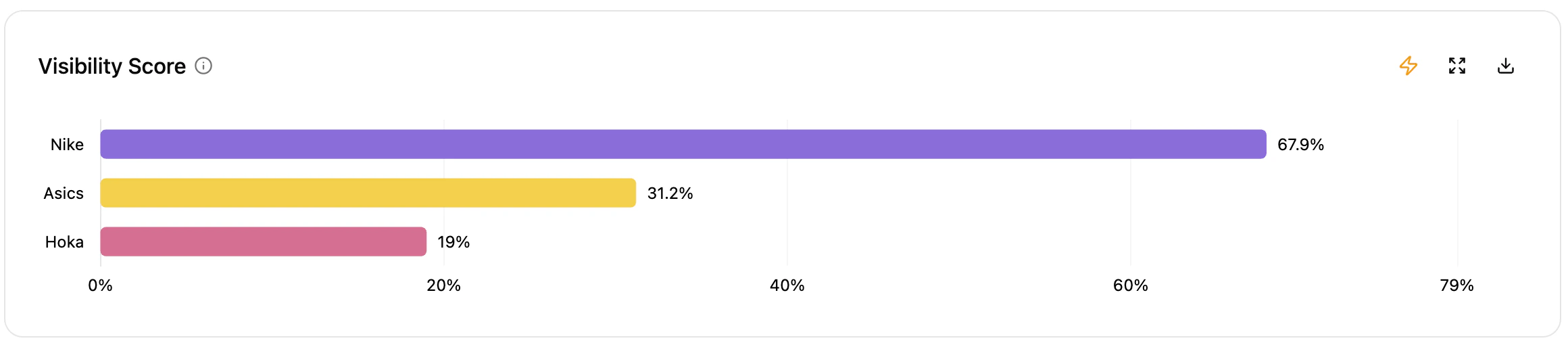 * **Y-axis** lists your domain/brand and competitors.
* **X-axis** shows the percentage of domain presence or brand mentions across search engines.
* Unlike the [Overview](/platform/search/overview-what-how-purpose) module — which combines domain presence and brand mentions — this chart separates the two signals.
### Select competitors
* **Y-axis** lists your domain/brand and competitors.
* **X-axis** shows the percentage of domain presence or brand mentions across search engines.
* Unlike the [Overview](/platform/search/overview-what-how-purpose) module — which combines domain presence and brand mentions — this chart separates the two signals.
### Select competitors
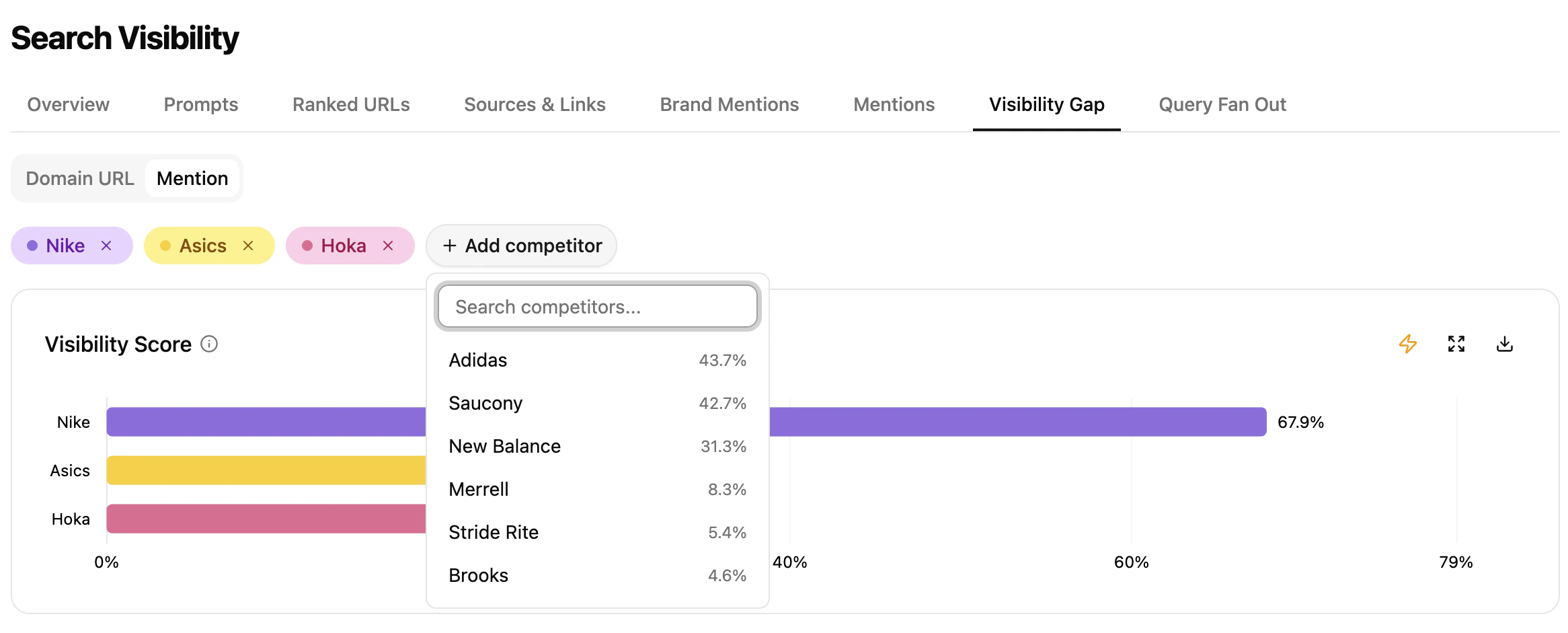 * Pick up to **4 competitors** (brand or subdomain) from the dropdown.
* Remove and add competitors freely — the data updates instantly.
### Prompt-level insights across engines and competitors
* Pick up to **4 competitors** (brand or subdomain) from the dropdown.
* Remove and add competitors freely — the data updates instantly.
### Prompt-level insights across engines and competitors
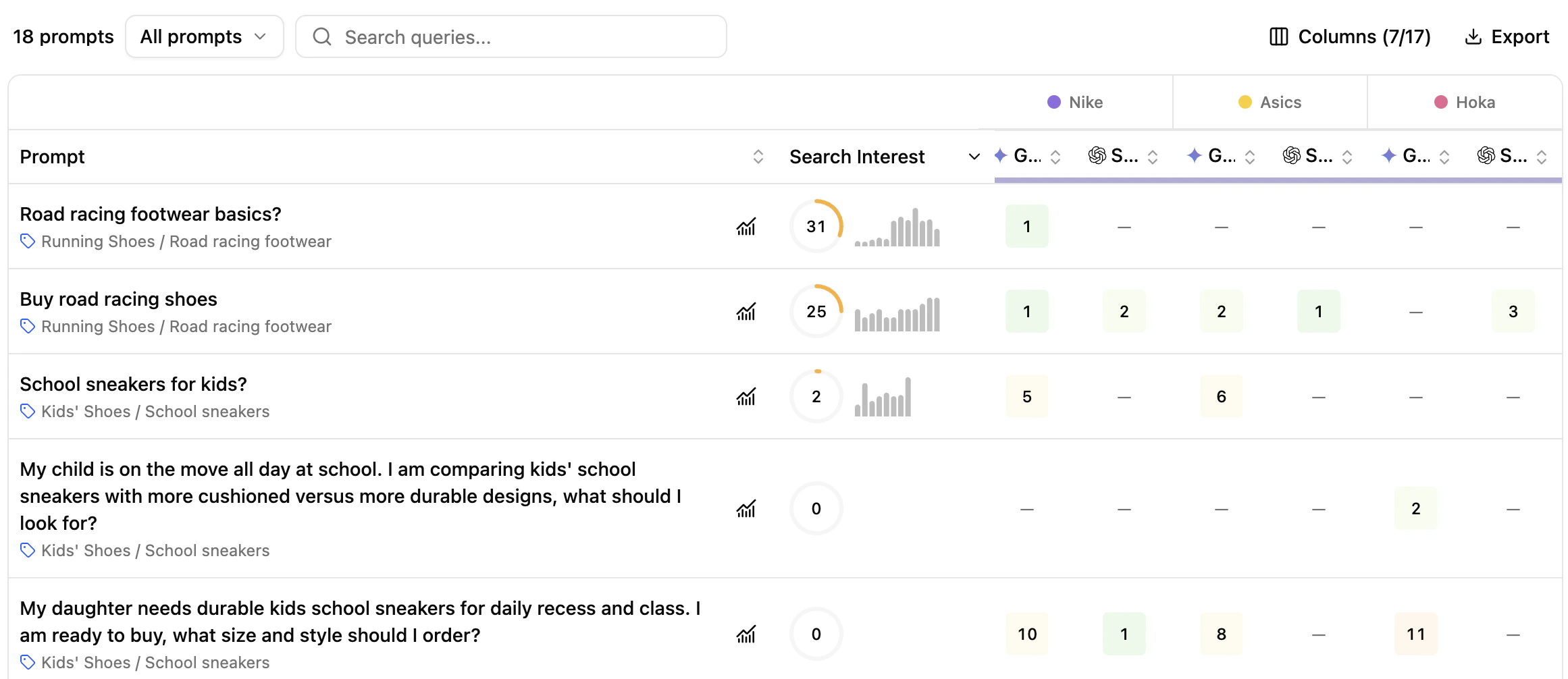 **Columns**
* **Prompt** — tracked prompts with search type (Generic / Brand) and intent (Navigational, Informational, Commercial, Transactional).
* **Search Interest** — score based on Google Ad Planner search volume of the main keywords, weighted by relevance and 12-month trend.
* **Competitors** — competitor domains and brand mentions per engine, compared to yours.
* **Engines** — position across:
* **Search engines** (Google, Bing) — *domain URL only*
* **AI Overviews** (Google AI Overview, Bing AI Overview) — both modes
* **Generative engines** (Gemini, Perplexity, SearchGPT, Google AI Mode, Claude) — both modes
Click **Details** on any prompt to open the side panel.
**Columns**
* **Prompt** — tracked prompts with search type (Generic / Brand) and intent (Navigational, Informational, Commercial, Transactional).
* **Search Interest** — score based on Google Ad Planner search volume of the main keywords, weighted by relevance and 12-month trend.
* **Competitors** — competitor domains and brand mentions per engine, compared to yours.
* **Engines** — position across:
* **Search engines** (Google, Bing) — *domain URL only*
* **AI Overviews** (Google AI Overview, Bing AI Overview) — both modes
* **Generative engines** (Gemini, Perplexity, SearchGPT, Google AI Mode, Claude) — both modes
Click **Details** on any prompt to open the side panel.
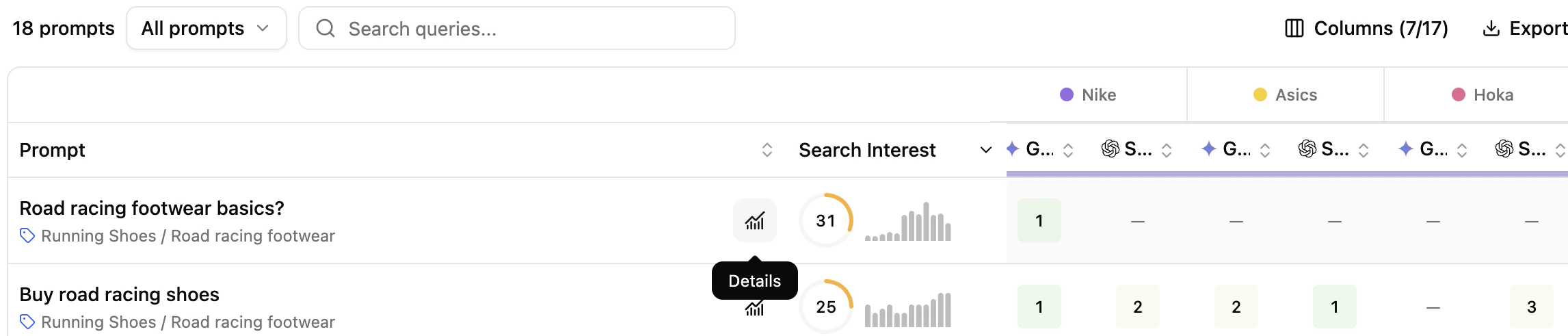 See the [Prompts view](/platform/search/prompts-what-how-purpose) for the full side-panel breakdown.
Data aligns with the **Prompts** tab, so you can track presence and performance across views consistently.
## Key benefits
* Visualize where your domain and competitors are positioned, and where brand mentions surface.
* Compare your prompt-level URLs and brand mentions to those of competitors.
* Build a clear picture of your market positioning.
## Extra features
**Filters**
* Refine displayed data dynamically — filters propagate to the side panel.
**Charts**
* **Export** chart as PNG or its data as CSV.
* **Expand** chart for a larger view.
* **Ask Assistant** to trigger an automatic analysis of the chart.
**Tables**
* **Add/Hide columns** for readability.
* **Export** filtered tables to CSV or Excel.
* **Search** the table.
* **Sort** by any column.
## What's next
Identify the brands that dominate the space.
Drill into prompt-level performance.
See the [Prompts view](/platform/search/prompts-what-how-purpose) for the full side-panel breakdown.
Data aligns with the **Prompts** tab, so you can track presence and performance across views consistently.
## Key benefits
* Visualize where your domain and competitors are positioned, and where brand mentions surface.
* Compare your prompt-level URLs and brand mentions to those of competitors.
* Build a clear picture of your market positioning.
## Extra features
**Filters**
* Refine displayed data dynamically — filters propagate to the side panel.
**Charts**
* **Export** chart as PNG or its data as CSV.
* **Expand** chart for a larger view.
* **Ask Assistant** to trigger an automatic analysis of the chart.
**Tables**
* **Add/Hide columns** for readability.
* **Export** filtered tables to CSV or Excel.
* **Search** the table.
* **Sort** by any column.
## What's next
Identify the brands that dominate the space.
Drill into prompt-level performance.