> ## Documentation Index
> Fetch the complete documentation index at: https://docs.shareofmodel.ai/llms.txt
> Use this file to discover all available pages before exploring further.
# Prompts
> Visualize the presence and positioning of your domain and brand for each tracked prompt across search engines.
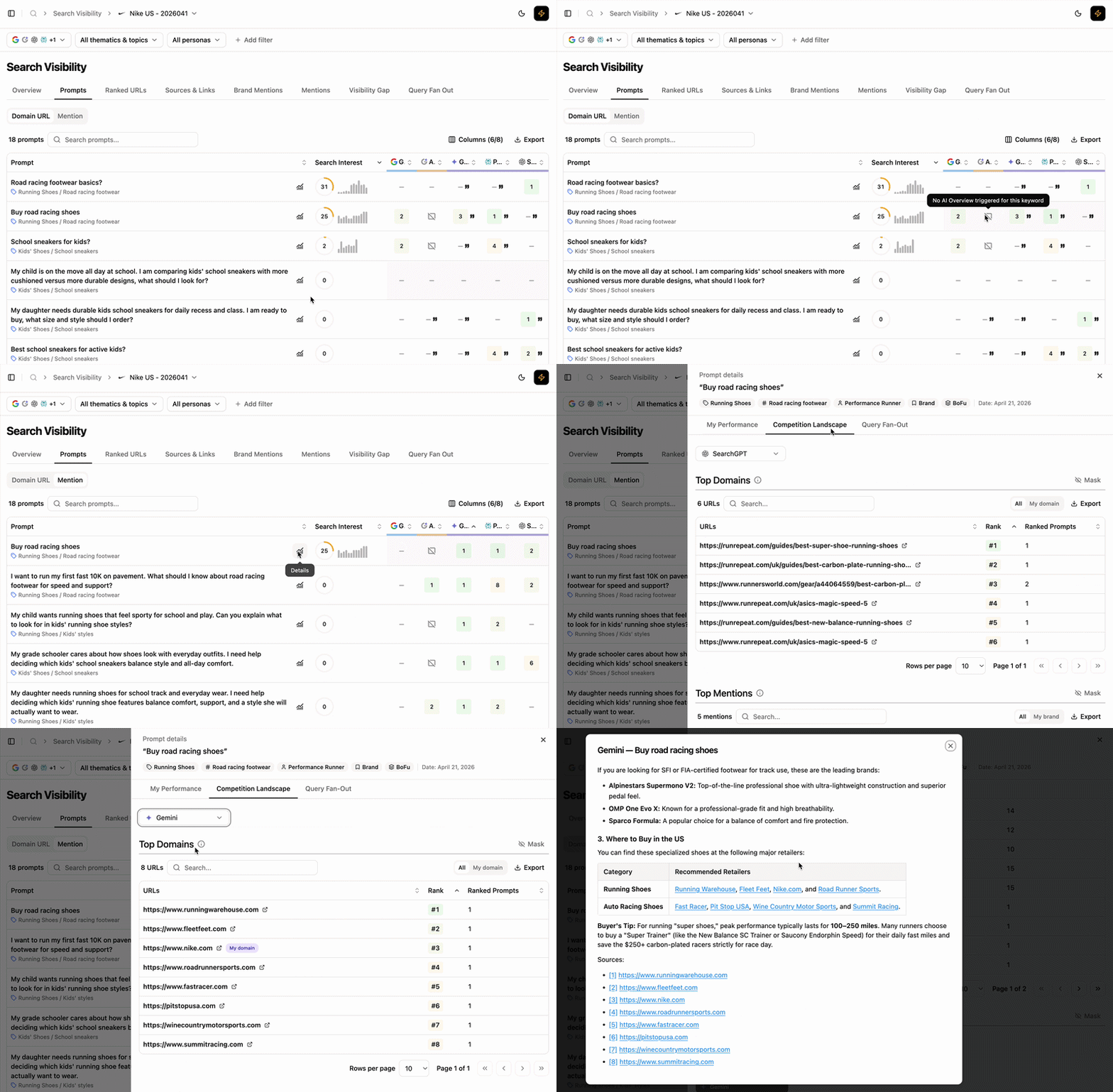
The **Prompts** view shows the presence and positioning of your domain and brand for each tracked prompt across traditional and generative engines. Click any prompt to open SERP and LLM snapshots, plus competitor positioning per engine.
 ## What this view helps you analyse
You get prompt-level visibility across both traditional and generative engines.
### Compare Domain and Brand performance
Toggle between two display modes at the top of the page:
## What this view helps you analyse
You get prompt-level visibility across both traditional and generative engines.
### Compare Domain and Brand performance
Toggle between two display modes at the top of the page:
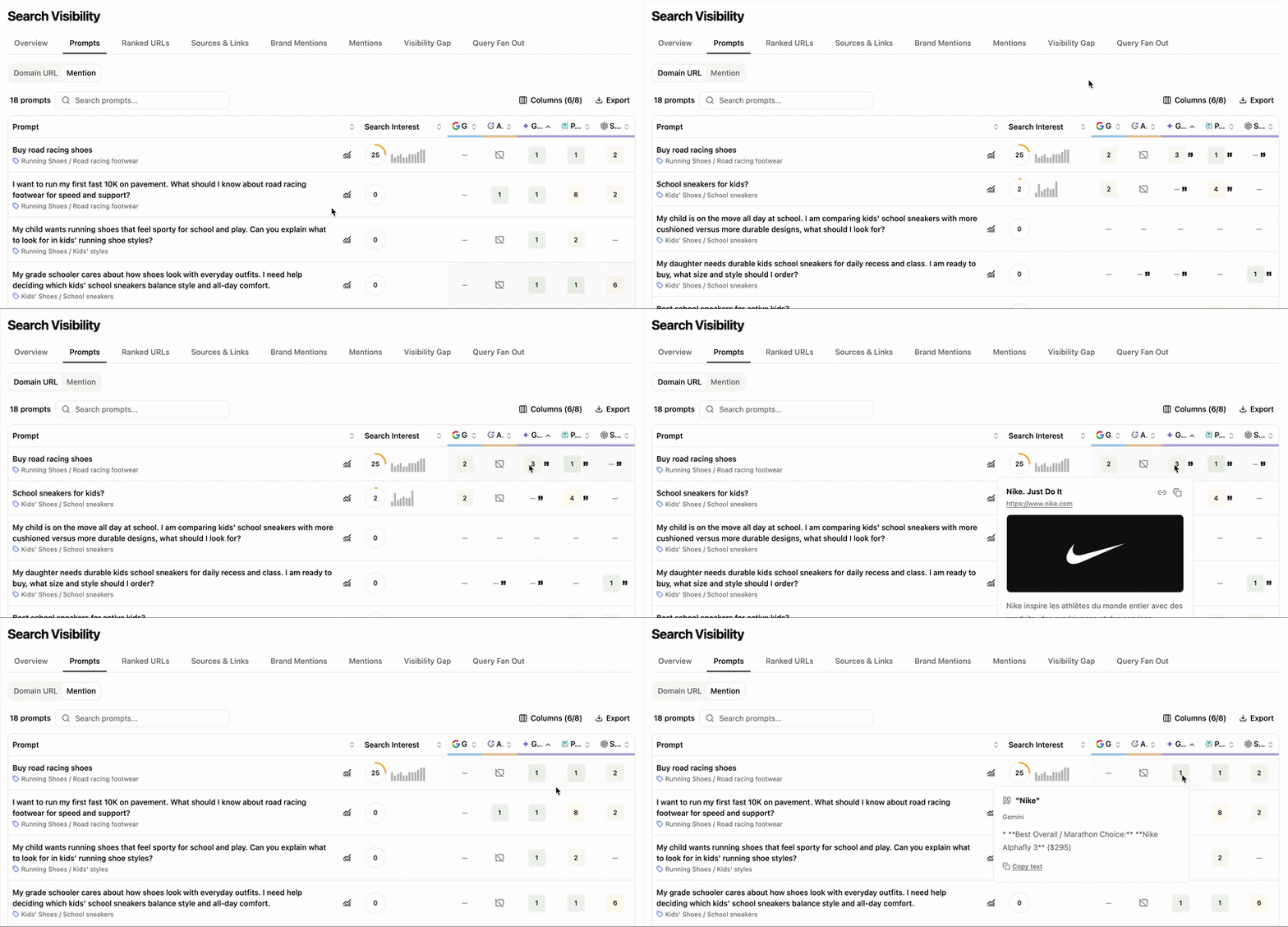 * **Domain URL** — positions of your URLs across engines. Brand mentions are flagged with quotes (`"`) next to the URL position.
* **Brand Mention** — positions of your brand mentions across engines.
Brand mention position are not collected for traditional Google Traditional Search engine.
### How prompts are positioned and mentioned
* **Domain URL** — positions of your URLs across engines. Brand mentions are flagged with quotes (`"`) next to the URL position.
* **Brand Mention** — positions of your brand mentions across engines.
Brand mention position are not collected for traditional Google Traditional Search engine.
### How prompts are positioned and mentioned
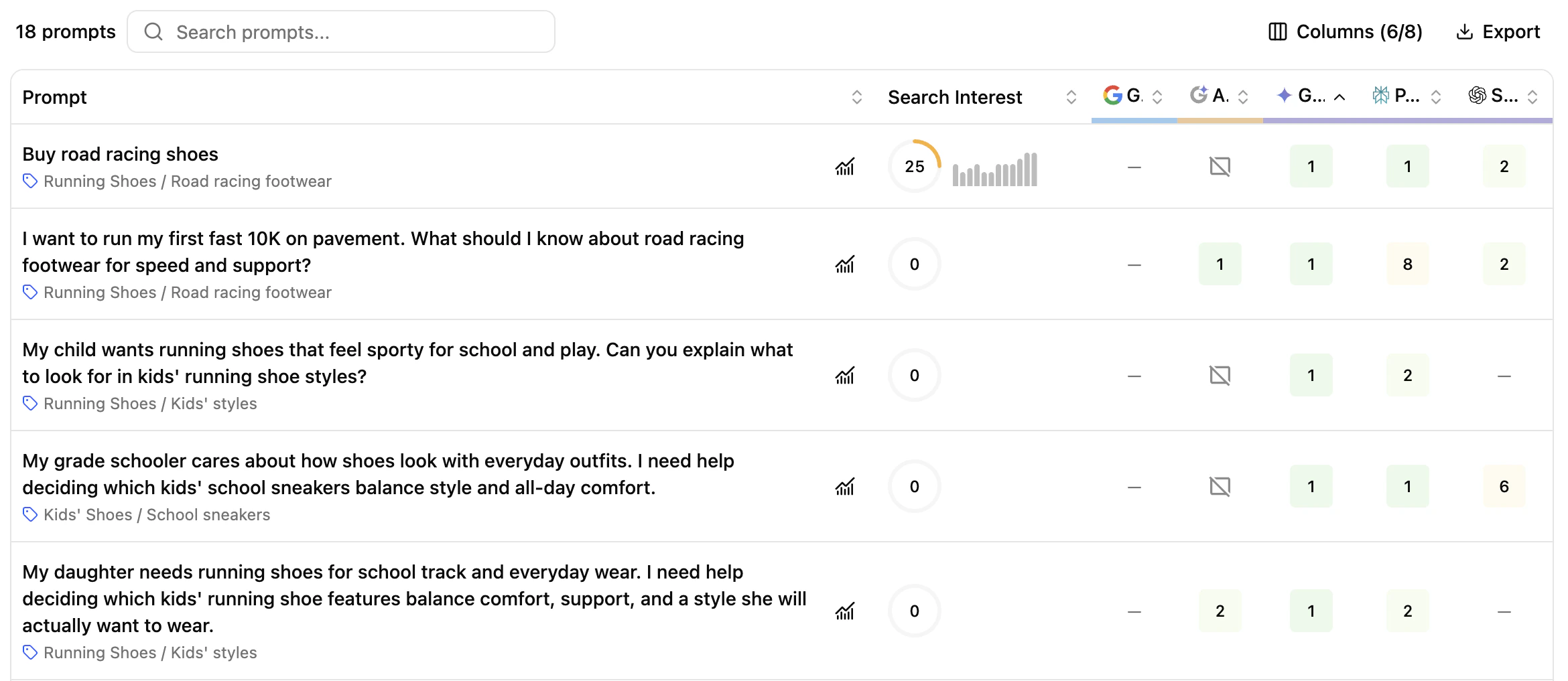 **Default columns**
* **Prompt** — every prompt entered during setup, with its thematic and topic.
* **Search Interest** — score based on Google Ad Planner search volume of the main keywords in the prompt, weighted by relevance and 12-month trend.
* **Engines** — positions of your domain URL and brand mentions across:
* **Search engines** (Google, Bing) — *domain URL only*
* **AI Overviews** (Google AI Overview, Bing AI Overview) — both modes
* **Generative engines** (Gemini, Perplexity, SearchGPT, Google AI Mode, Claude) — both modes
**Optional columns** (via the `Columns (6/8)` button)
* **Tag** — prompt categorisation (prompt-type, strength/weakness, persona, funnel stage)
* **Volume (Avg.)** — search volume for the prompt as retrieved from the SEMrush API
### Prompt details: position vs. competitor landscape
Click a prompt or the **Details** button to open the side panel.
**Default columns**
* **Prompt** — every prompt entered during setup, with its thematic and topic.
* **Search Interest** — score based on Google Ad Planner search volume of the main keywords in the prompt, weighted by relevance and 12-month trend.
* **Engines** — positions of your domain URL and brand mentions across:
* **Search engines** (Google, Bing) — *domain URL only*
* **AI Overviews** (Google AI Overview, Bing AI Overview) — both modes
* **Generative engines** (Gemini, Perplexity, SearchGPT, Google AI Mode, Claude) — both modes
**Optional columns** (via the `Columns (6/8)` button)
* **Tag** — prompt categorisation (prompt-type, strength/weakness, persona, funnel stage)
* **Volume (Avg.)** — search volume for the prompt as retrieved from the SEMrush API
### Prompt details: position vs. competitor landscape
Click a prompt or the **Details** button to open the side panel.
 Three sections cover how your domain and brand appear in results.
**Ranked URLs** — your highest-positioned URLs for the prompt.
Three sections cover how your domain and brand appear in results.
**Ranked URLs** — your highest-positioned URLs for the prompt.
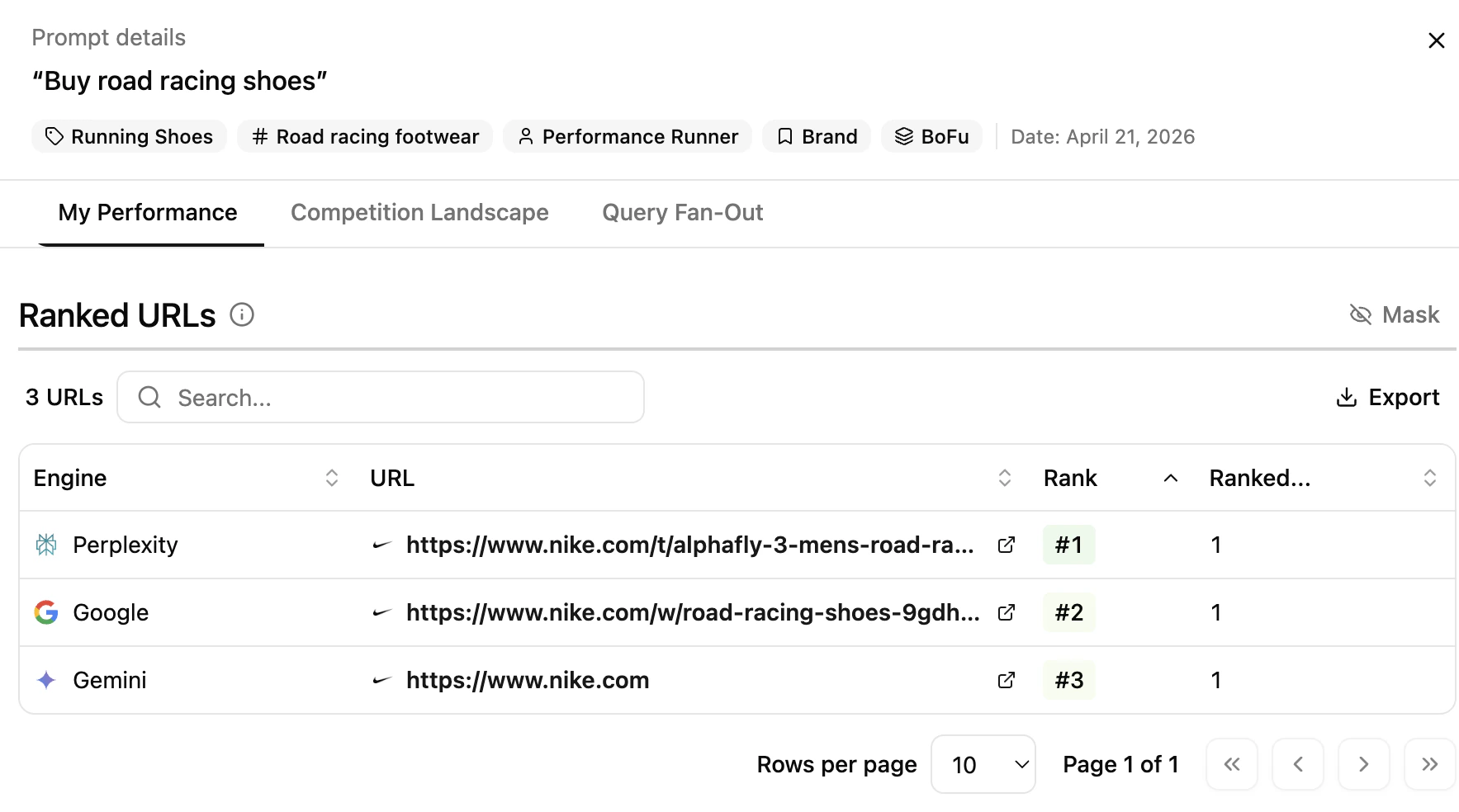 * **Engine** — engine where your domain ranks
* **URL** — the ranked URL (clickable)
* **Position** — rank of your URL
* **Total Prompts** — number of times this URL appears across all audited prompts on the engine
**Brand Mentions** — how often your brand is mentioned in results.
* **Engine** — engine where your domain ranks
* **URL** — the ranked URL (clickable)
* **Position** — rank of your URL
* **Total Prompts** — number of times this URL appears across all audited prompts on the engine
**Brand Mentions** — how often your brand is mentioned in results.
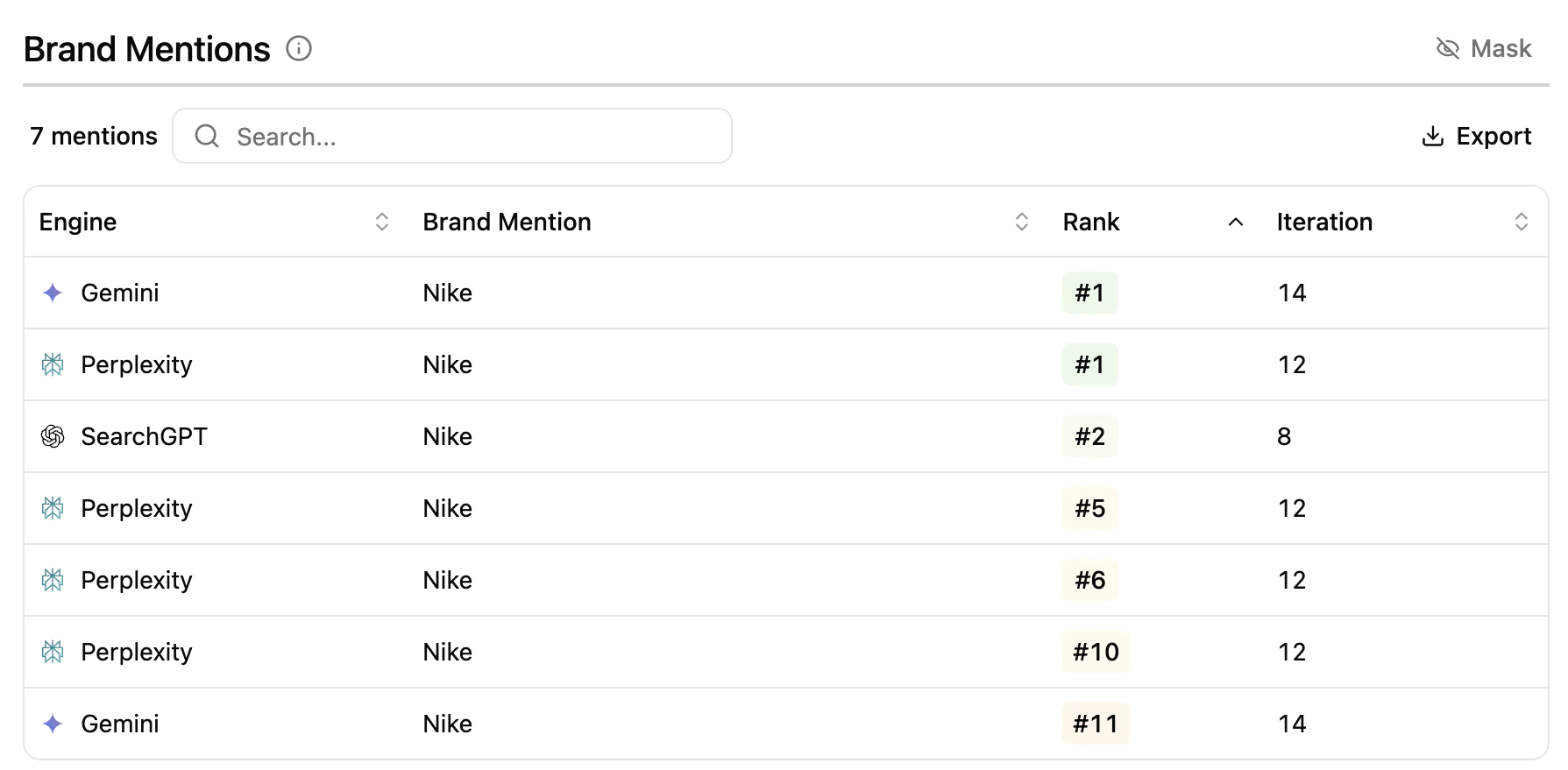 * **Engine** — engine where the mention is found
* **Brand Mention** — name of the brand mentioned in AI Overview / generative answers
* **Position** — rank of the mention
* **Iteration** — number of times the mention was detected across audited prompts
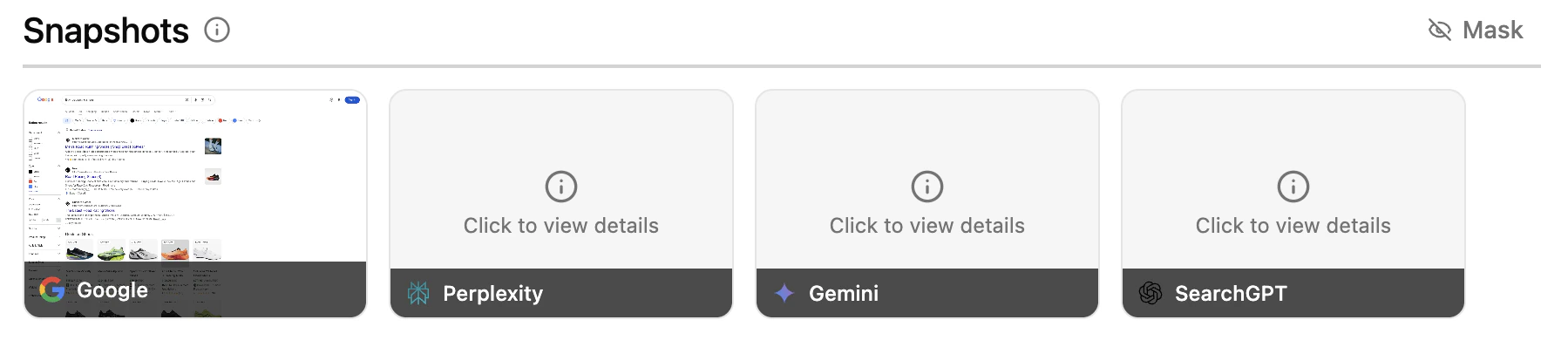
**Snapshots** — capture of each SERP, AI Overview or LLM response where your brand or domain appears.
* **Engine** — engine where the mention is found
* **Brand Mention** — name of the brand mentioned in AI Overview / generative answers
* **Position** — rank of the mention
* **Iteration** — number of times the mention was detected across audited prompts
**Snapshots** — capture of each SERP, AI Overview or LLM response where your brand or domain appears.
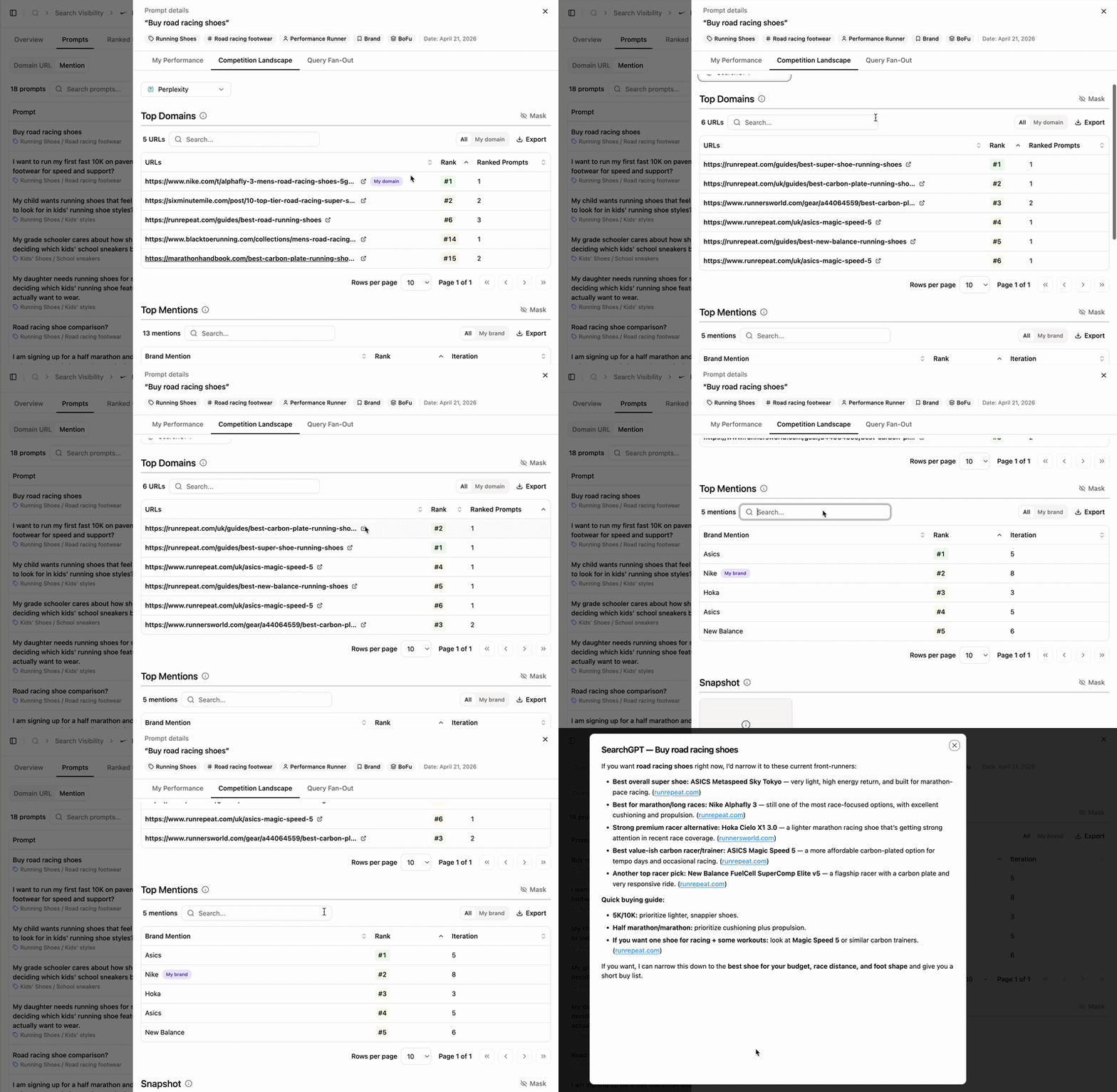 Use the **Engines** filter to scope the data, then explore:
* **Top Domains** — leading websites for the prompt (URL, rank, ranked prompts).
* **Top Mentions** — brands referenced in results, with rank and iteration count.
* **Snapshots** — the snapshot for the engine selected. Click to open or download.
Use the **Engines** filter to scope the data, then explore:
* **Top Domains** — leading websites for the prompt (URL, rank, ranked prompts).
* **Top Mentions** — brands referenced in results, with rank and iteration count.
* **Snapshots** — the snapshot for the engine selected. Click to open or download.
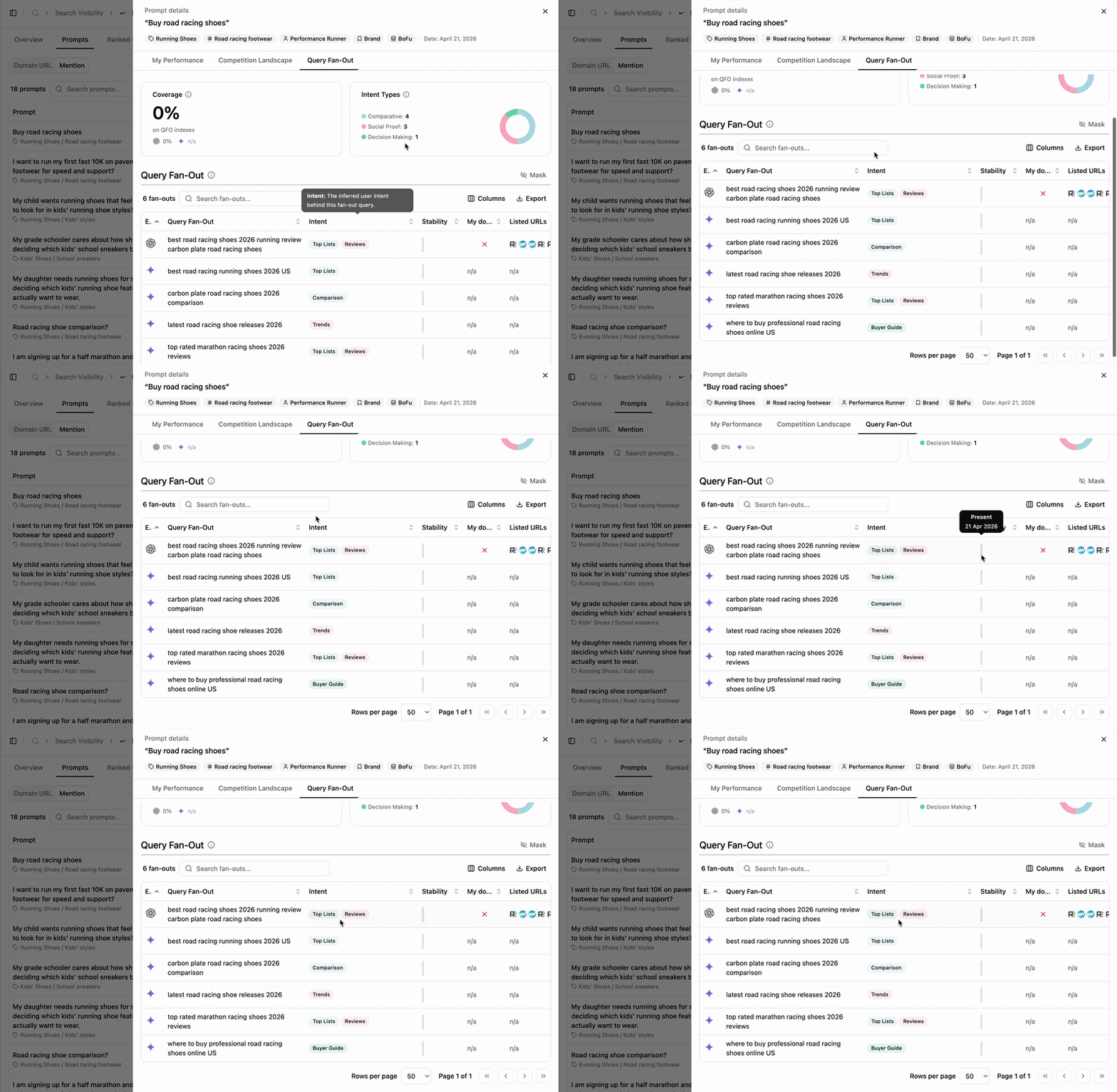 Inspect the internal queries the LLM used to assemble the final answer. See [Fan-out Queries](/platform/search/fan-out-queries-what-how-purpose) for details.
## Key benefits
* Visualize prompts where your domain ranks and your brand is mentioned.
* Filter by engine and thematic.
* Drill into prompt-level details to compare against competitors.
* Access SERP and LLM screenshots for every appearance.
## Extra features
Inspect the internal queries the LLM used to assemble the final answer. See [Fan-out Queries](/platform/search/fan-out-queries-what-how-purpose) for details.
## Key benefits
* Visualize prompts where your domain ranks and your brand is mentioned.
* Filter by engine and thematic.
* Drill into prompt-level details to compare against competitors.
* Access SERP and LLM screenshots for every appearance.
## Extra features
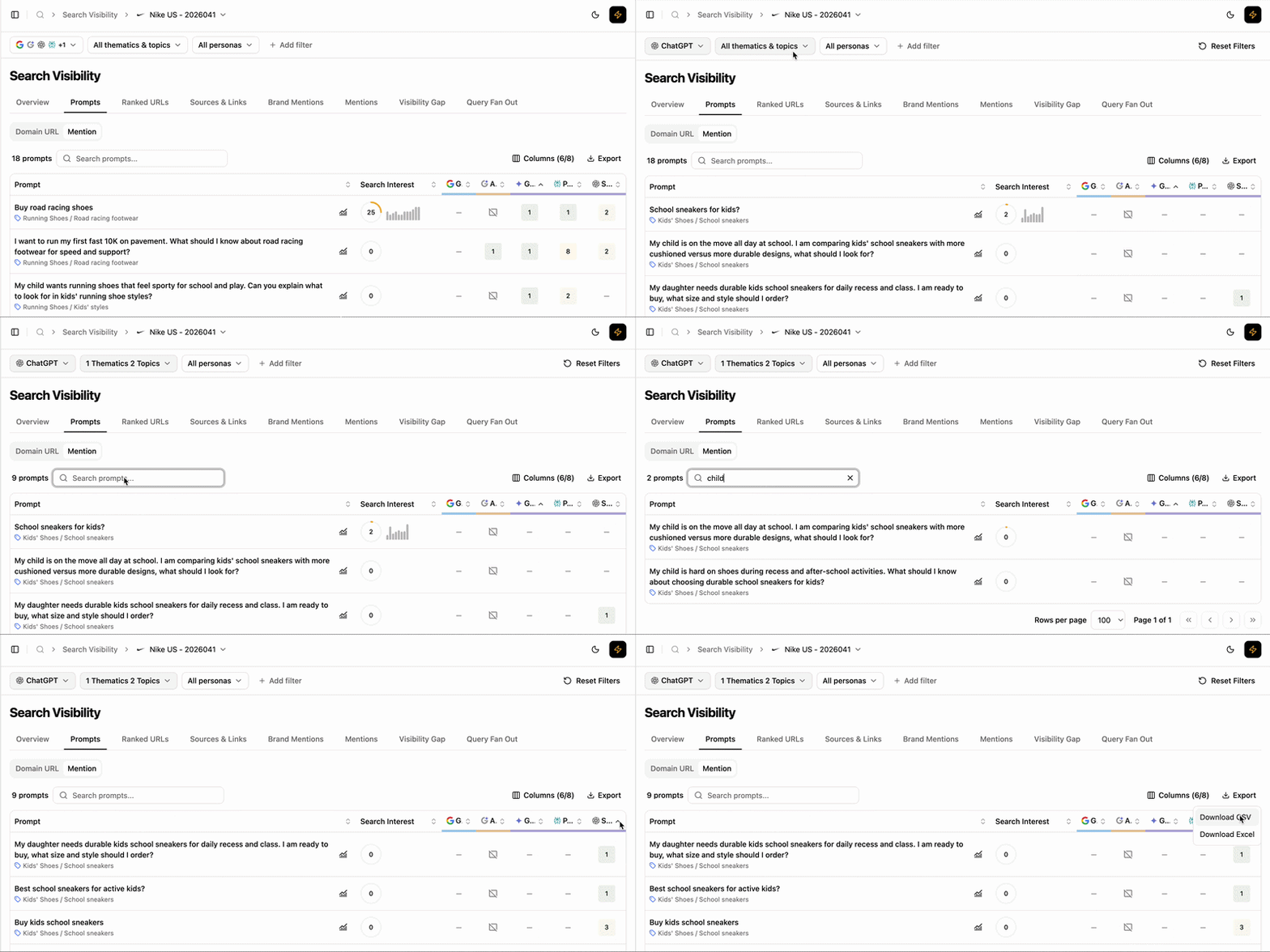 * **Filters** — refine the table and side panel data dynamically.
* **Add/Hide columns** — adapt the table to your workflow.
* **Export** — extract filtered tables to CSV or Excel.
* **Search** — find a prompt via the search bar.
* **Sort** — order by any column, ascending or descending.
## What's next
Compare prompt-level performance with competitors.
See the internal queries LLMs use to build answers.
* **Filters** — refine the table and side panel data dynamically.
* **Add/Hide columns** — adapt the table to your workflow.
* **Export** — extract filtered tables to CSV or Excel.
* **Search** — find a prompt via the search bar.
* **Sort** — order by any column, ascending or descending.
## What's next
Compare prompt-level performance with competitors.
See the internal queries LLMs use to build answers.